 AI
AI
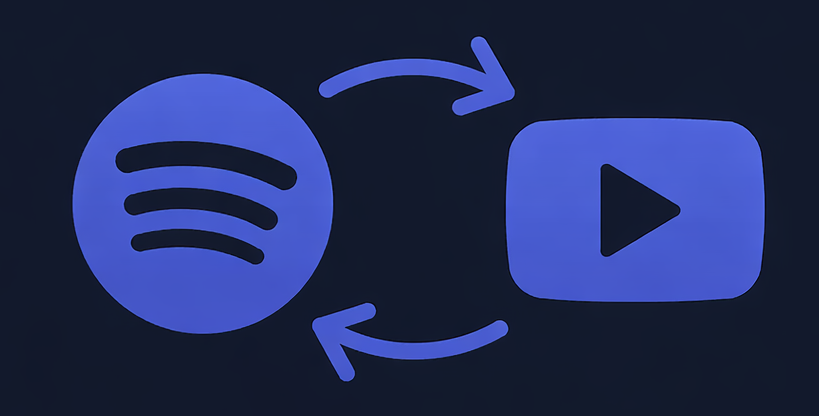 Spotify to YouTube
 Spotify & YouTube Battles
 Stream Music
 GAMES
GAMES
 Song Identifier
 Discover Artists
 Share Music & Lyrics
 Concert Tickets
U hoeft niet de juiste machtiging voor toegang tot dit
-
-
Welcome to MusicKraze Social — Getting Started Checklist
Welcome to MusicKraze Social! If you’re new here, first things first: this site offers a LOT. That can feel a little overwhelming at the start — totally normal. Once you get past that first step though, it’s seriously fun and gives you everything you need if you’re all about music.
Here’s a simple checklist to help you get going:
1. Add MusicKraze to your phone
The best way to use MusicKraze is like an app. Just add the site to your home screen.
We have easy tutorials for iOS and Android, but honestly — it only takes a few taps.
2. Make some friends
We’re a friendly community. Head over to the People page and start adding everyone as a friend. Don’t be shy — that’s how the feed comes alive.
3. Make your first post
After adding friends, write a quick post about yourself and the music you like.
Not sure what to say? No worries at all — just share your favorite Spotify playlist and let the music speak for you
4. Explore (this is the fun part)
MusicKraze is packed with tools and goodies for music lovers:
Identify songs playing around you and share them straight to the MK feed
Instantly pull up lyrics with one click
Convert your Spotify playlists to YouTube or YouTube Music with a single button
Discover new music, radios, and community features
There’s honestly way more than we could list here — if we did, this post would never end
The important part: don’t just join and leave. Take some time to explore and you’ll quickly see why MusicKraze is such a powerful (and free) music resource.
Need help?
If you ever get stuck, add and message James (KrAzE). He’s the owner, knows the site inside and out, and is always happy to help.
Enjoy your stay — and welcome to MusicKraze Social
— Help & Support Team👋 Welcome to MusicKraze Social — Getting Started Checklist Welcome to MusicKraze Social! If you’re new here, first things first: this site offers a LOT. That can feel a little overwhelming at the start — totally normal. Once you get past that first step though, it’s seriously fun and gives you everything you need if you’re all about music. Here’s a simple checklist to help you get going: ✅ 1. Add MusicKraze to your phone The best way to use MusicKraze is like an app. Just add the site to your home screen. We have easy tutorials for iOS and Android, but honestly — it only takes a few taps. ✅ 2. Make some friends We’re a friendly community. Head over to the People page and start adding everyone as a friend. Don’t be shy — that’s how the feed comes alive. ✅ 3. Make your first post After adding friends, write a quick post about yourself and the music you like. Not sure what to say? No worries at all — just share your favorite Spotify playlist and let the music speak for you 🎵 ✅ 4. Explore (this is the fun part) MusicKraze is packed with tools and goodies for music lovers: Identify songs playing around you and share them straight to the MK feed Instantly pull up lyrics with one click Convert your Spotify playlists to YouTube or YouTube Music with a single button Discover new music, radios, and community features There’s honestly way more than we could list here — if we did, this post would never end 😄 The important part: don’t just join and leave. Take some time to explore and you’ll quickly see why MusicKraze is such a powerful (and free) music resource. 💬 Need help? If you ever get stuck, add and message James (KrAzE). He’s the owner, knows the site inside and out, and is always happy to help. Enjoy your stay — and welcome to MusicKraze Social 🎶🔥 — Help & Support Team6 Reacties 0 aandelen 4K Views 0 voorbeeld 13
13
-
Being active on MusicKraze literally pays off.
Every post, reaction, and comment earns you Activity Points. Those points can be added directly to your site wallet, where you can spend them on real things and services offered by people on MK.
You can use your points for everything MusicKraze, including:
Tipping other users
Buying gifts
Purchasing VIP+ for yourself
Learn how points work and how to earn them here:
https://musickraze.com/settings/points
Check out your wallet here:
https://musickraze.com/wallet
You can also earn even more by inviting people to MusicKraze. Our affiliate system rewards you for growing the community:
https://musickraze.com/settings/affiliates
This is way better than any chat could ever be. Just dive in, use the platform the way it’s meant to be used, and you’ll see why this new setup works so well.
If you still want real-time chat, we’ve got you covered — use one of our partner chat sites, listed in the Pages section.
Welcome to the new MusicKraze. Use it, engage, and enjoy it.Being active on MusicKraze literally pays off. Every post, reaction, and comment earns you Activity Points. Those points can be added directly to your site wallet, where you can spend them on real things and services offered by people on MK. You can use your points for everything MusicKraze, including: Tipping other users Buying gifts Purchasing VIP+ for yourself 👉 Learn how points work and how to earn them here: https://musickraze.com/settings/points 👉 Check out your wallet here: https://musickraze.com/wallet You can also earn even more by inviting people to MusicKraze. Our affiliate system rewards you for growing the community: https://musickraze.com/settings/affiliates This is way better than any chat could ever be. Just dive in, use the platform the way it’s meant to be used, and you’ll see why this new setup works so well. If you still want real-time chat, we’ve got you covered — use one of our partner chat sites, listed in the Pages section. Welcome to the new MusicKraze. Use it, engage, and enjoy it. 🎶🔥0 Reacties 0 aandelen 1K Views 1 voorbeeld
8
-
New Feature: Lyrics Are Now Available! #features
Shazam Section
The Shazam section of the website now includes lyrics support. Just click the Lyrics button on the identifier results page to instantly view the lyrics for the song you found.
Music Sharing Section
The Music Sharing section now also offers lyrics. When viewing shared tracks or search results, simply click the Lyrics button to see the song’s lyrics.
As always, I’m constantly looking for ways to improve MK. If you have ideas or feature suggestions (other than group chat), I’m open to hearing them. Please leave your feedback and help improve the site.
THANK YOU for using MK!
— KrAzE🎶 New Feature: Lyrics Are Now Available! 🎶 #features Shazam Section The Shazam section of the website now includes lyrics support. Just click the Lyrics button on the identifier results page to instantly view the lyrics for the song you found. Music Sharing Section The Music Sharing section now also offers lyrics. When viewing shared tracks or search results, simply click the Lyrics button to see the song’s lyrics. As always, I’m constantly looking for ways to improve MK. If you have ideas or feature suggestions (other than group chat), I’m open to hearing them. Please leave your feedback and help improve the site. 🙏 THANK YOU for using MK! — KrAzE0 Reacties 0 aandelen 793 Views 0 voorbeeld

 English
 Arabic
 French
 Spanish
 Portuguese
 Deutsch
 Turkish
 Italiano
 Russian
 Romaian
 Portuguese (Brazil)
 Greek
Greek